

If you’re looking for a CNIC check online method in Pakistan, there are several official and third-party options available. Whether you want to verify your NADRA CNIC details, check registration status, or use Taleem PK CNIC for information, this guide explains everything step by step.
The Computerized National Identity Card (CNIC) is issued by NADRA. and It is mandatory for things like:
- Opening a bank account
- Buying a SIM card
- Voting
- Property transactions
- Educational verification
That’s why CNIC check online has become a highly searched service in Pakistan.
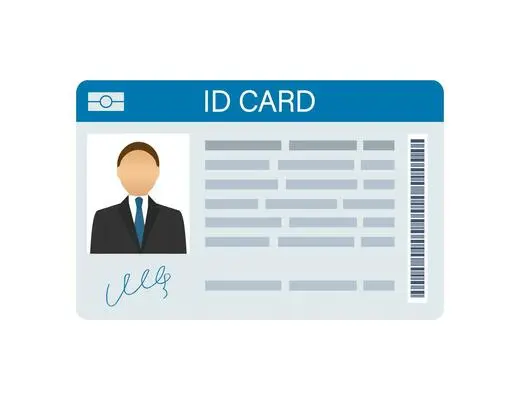
1. NADRA CNIC Check Online
NADRA provides official services to verify and check CNIC details:
- Via SMS (Mobile):
- Send your CNIC number (without dashes) to 7000.
- You will get details such as name and father’s name.
- Charges apply (approx Rs. 10 per SMS).
- Via NADRA Online Portal:
- Go to the official NADRA Pak Identity Portal.
- Create an account using email and mobile number.
- Enter CNIC number to view details like family tree, card status, and more.
(Note: Always use the official NADRA website for accurate information.)
2. Taleem PK CNIC Check
Another popular search term is Taleem PK CNIC, which usually refers to educational and scholarship record verification linked with CNIC numbers.
- Many students use CNIC to check:
- Scholarship eligibility
- Educational board results
- Taleem-related records online
3. Why Checking Information Online is Important
- It prevents identity fraud
- It usually helps in tracking SIM cards registered under your name
- Verifies eligibility for government programs such as (Ehsaas Program, BISP, etc.)
- Ensures transparency in educational systems (through portals)
Use the NADRA Pak Identity Portal or send your CNIC number to 7000 via SMS
It can provide useful information, but always verify results from official sources like NADRA.
No, NADRA only allows you to check your own CNIC or details linked to your family tree for obvious privacy reasons.
So, whether you want to use NADRA CNIC details for verification or explore Taleem PK CNIC records, the online systems in Pakistan make it easier than ever to confirm identity and records. Always use official NADRA channels for sensitive information, while third-party platforms like Taleem PK can be used for general educational purposes.
NADRA Sim Owner Details
NADRA Sim Owner Details refer to the information about the owner of a mobile SIM card, verified through the National Database and Registration Authority (NADRA). This system ensures that the person using the SIM card is its legitimate and registered owner.
How to Check Details of a Sim Owner through Nadra?
You can easily check NADRA Sim Owner Details by using a dedicated website. Follow these steps to access the information:
Step 1: Open the Website
Go to a website which provides SIM owner details. Look for the page named SIM Information.
Step 2: Find the search box
On the SIM Information page, you will find a search box. This is where you can enter the details to retrieve the SIM information.
Step 3: Fill the details
Type the phone number that you are trying to check. Ensure the provided information is factually accurate.
Step 4: Press the search button
After entering the number, press the Search button. The system will then process your request and try to display the details. (if valid details are provided)
Check out more useful information here:







Mi nam. Aliriaz cuntri pakistan si hun subah Sind zilah umarkot si
Abrarkhan
My name Muhammad Waqas my country Pakistan
Cnic 3310484450242 ka data bato
ZulfiqarKhan
Asslamalikm g kya hall h. Thk ho ap Yar ak Number ka data nakakl dy
cnic kaise dekha jai
Tayyab
2
3301533787705